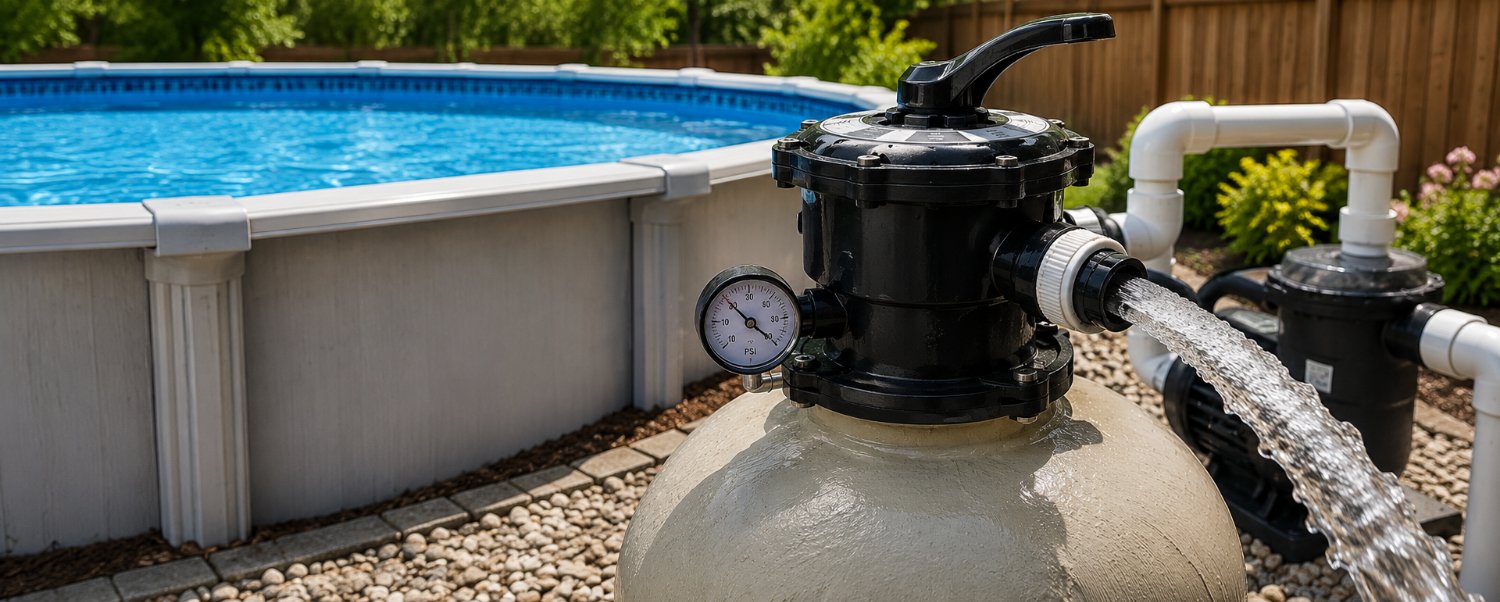
Sand Filter Backwash
Learn when and how to backwash a sand pool filter to keep water flowing properly, reduce pressure, and help maintain clear pool water.
When Should You Backwash a Sand Filter?
A sand filter should be backwashed whenever the filter pressure rises about 8–10 PSI above the normal clean starting pressure, or after several heavy vacuuming sessions when debris has built up inside the filter.
Backwashing reverses the flow of water through the filter, flushing trapped dirt, leaves, algae, and other debris out of the sand bed. This helps improve circulation, reduce strain on the pump, and keep the pool water cleaner.
Before You Begin
Before backwashing, check the pool water level and raise it if needed. Backwashing removes water from the pool, so starting with a low water level can cause problems.
Turn off the pool pump completely, then clean out the pump strainer basket. If your system uses a backwash hose, roll it out and make sure it is directed toward a safe drainage area.
How to Backwash a Sand Filter
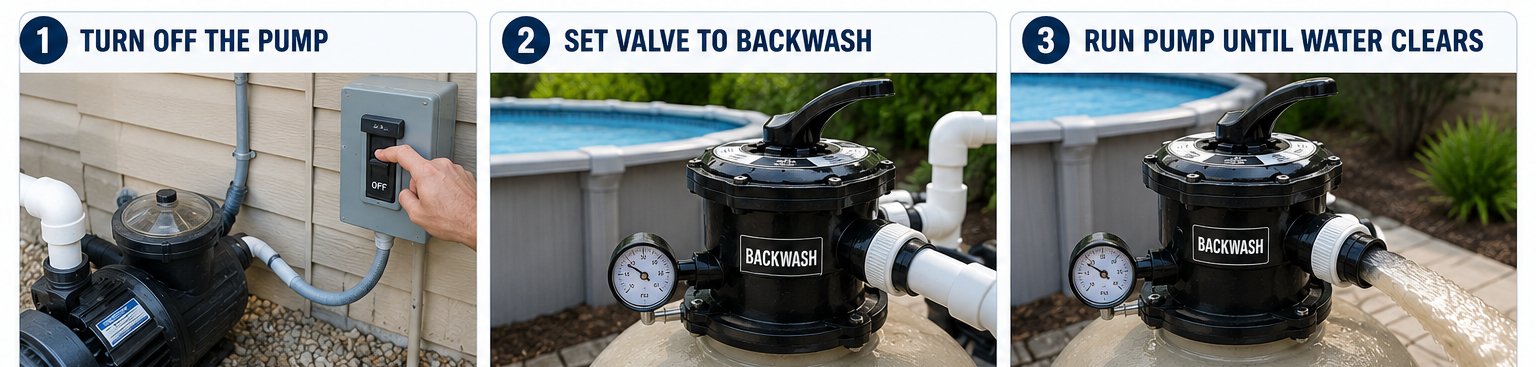
1. Turn Off the Pump
Always turn the pump off before moving the filter control valve. Changing valve settings while the pump is running can damage the filter system.
2. Set the Valve to Backwash
Move the filter control valve to the BACKWASH position. Make sure the backwash hose is connected securely if your filter uses one.
3. Run the Pump Until the Water Clears
Turn the pump back on and allow the dirty water to discharge. The water may look cloudy or dirty at first. Keep the pump running until the water coming out of the hose or sight glass runs clear.
This usually takes about 1–3 minutes, depending on how dirty the filter is. Once the water clears, turn the pump off again.
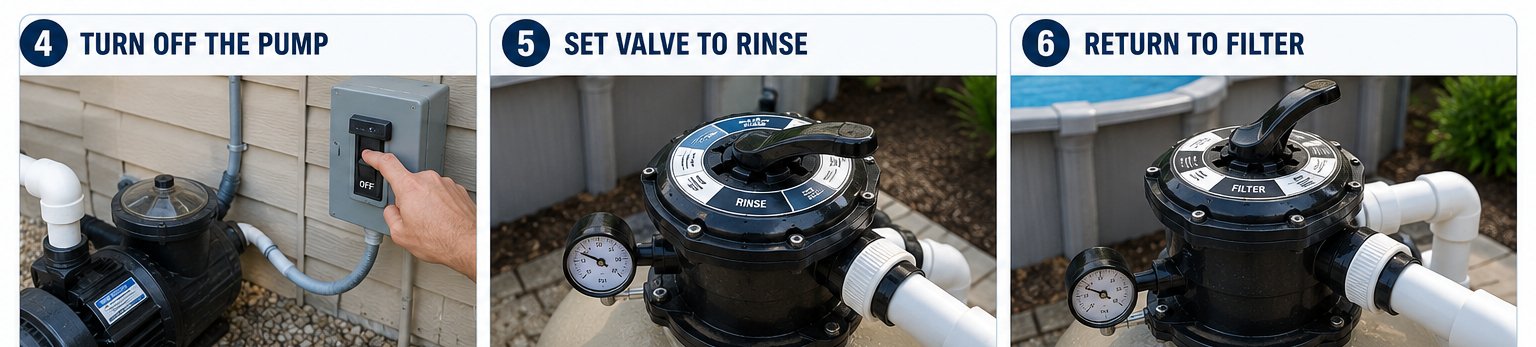
4. Use the Rinse Setting
Move the valve to the RINSE position and turn the pump on for about 15–30 seconds. This helps settle the sand bed back into place and clears any leftover dirty water from the valve.
Turn the pump off again before changing the valve position.
5. Return to Filter
Move the valve back to the normal FILTER position. Turn the pump back on and check that water is flowing normally from the return jets.
If the Water Still Looks Dirty
If the backwash water still looks dirty, repeat the backwash and rinse process. Very dirty pools, algae cleanup, or heavy vacuuming can require more than one cycle before the water runs clear.
After Backwashing
After backwashing, check the pool water level and refill the pool if needed. Also check the pressure gauge to make sure the filter pressure has dropped closer to the normal clean starting pressure.
Look for leaks around the filter valve, backwash hose, and plumbing connections. You should also confirm that the return jets have strong, steady flow.
Common Signs Your Sand Filter Needs Backwashing
Your sand filter may need backwashing if the filter pressure is 8–10 PSI above normal, the return flow feels weak, the pool water looks cloudy, or vacuum suction is lower than usual.
How Often Should You Backwash?
Backwash based on filter pressure and water flow, not on a fixed schedule. A slightly dirty sand filter can actually filter smaller particles better than a perfectly clean one. Backwashing too often can waste water and reduce filtration efficiency.
Final Tip
Write down your clean starting pressure after a proper backwash. This makes it easier to know when the filter needs cleaning again.